
New Function “Auto Reverse Order (ARO)” Now Available
We are pleased to announce launch of our new feature, “Auto Reverse Order (ARO)”, now available across our online trading platforms.
ARO automatically submits a reverse order upon full execution of your original order, helping you execute your trading strategies with greater flexibility and efficiency.
Applicable Markets ARO is currently available for:
- Hong Kong market (including the Pre-opening Session, Continuous Trading Session and Closing Auction Session)
- U.S. market (Regular Trading Session only)
Online Trading Platforms:
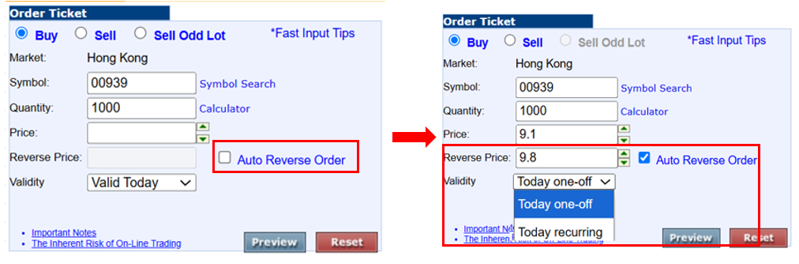
1. WebTrade
Select the “Auto Reverse Order” box on the order ticket to activate this feature.
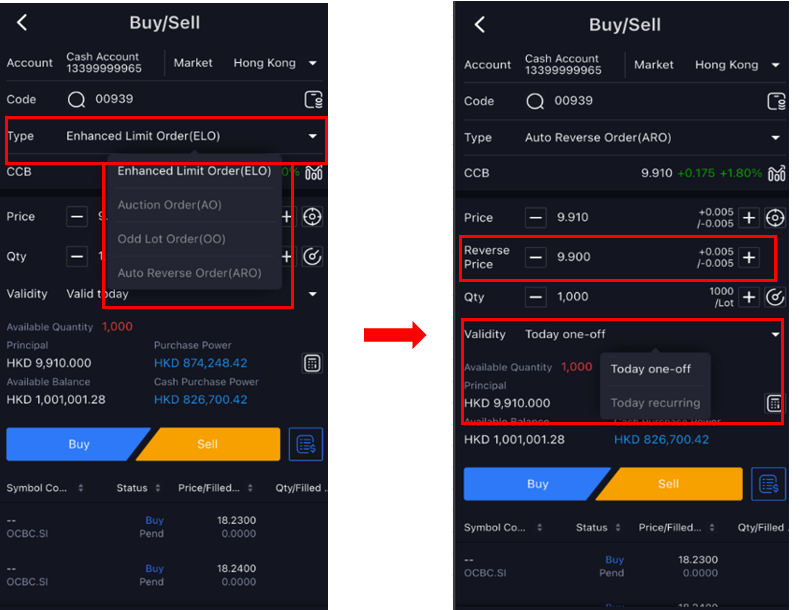
2. KGI Power Trader
Select “Auto Reverse Order” from the “Type” field on the order ticket.
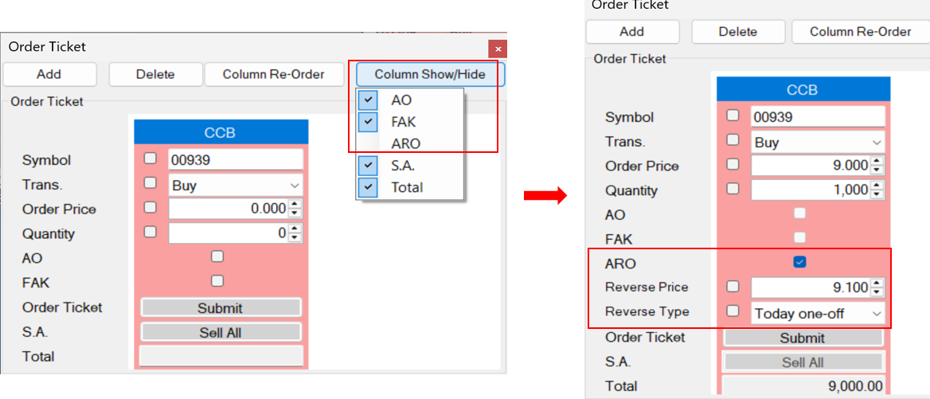
3. WebTrade – Professional Version
Select “ARO” under the “Column Show/Hide” setting located at the top right of the order ticket.
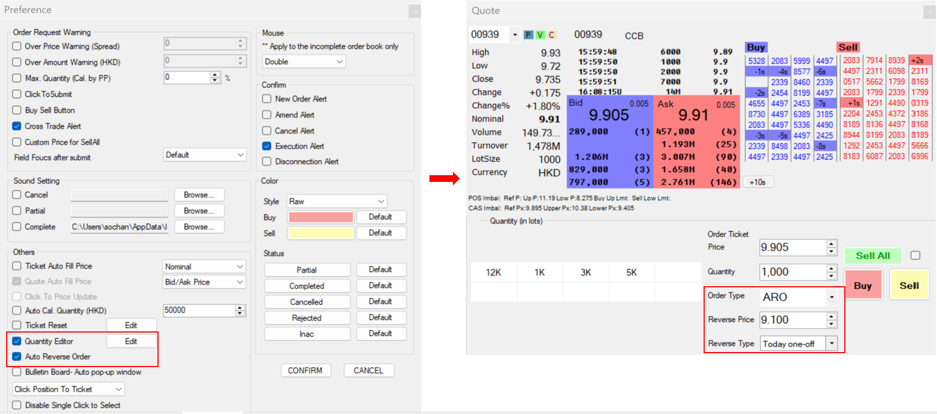
In addition, you can check both “Quantity Editor” and “Auto Reverse Order” options on the Preference page to place auto reverse orders directly from the quote page.
ARO Parameter:
- Reverse Price: Set the target price for the reverse order.
- Validity/ Reverse Type: Select the order operation mode:
- Today One-off: The trading sequence will automatically end once the reverse order has been fully executed
- Today Recurring: A new reverse order will be automatically submitted each time the preceding reverse order has been fully executed.
Important Notes: The ARO sequence will only stop under the following circumstances:
- The market closes
- You cancel the order
- The order is rejected by the system or the exchange
For details of the trading arrangement and important notes, please refer to the Trading Notes
If you have any enquiries, please call our 24-hour InvestLine (852) 2878 5555 or contact your Relationship Manager.